
Digital business card
Your contact details, shared the way you choose.
Sample card illustration
Sample Person
Job title at Company name
- EmailPublic[email protected]
- PhoneHiddenHidden by default
- WebsitePublicexample.com
A public link
Your card has its own web link that you can send in a message or add to a profile.
A QR code
Show the QR code from the app and the other person opens your card with their phone camera.
You choose what is visible
Visibility is set per field.
- Every field starts hidden.
- Only fields you make public appear on the card page.
- The card is kept out of search engines unless you allow it.
Works without the app
The card page opens in a normal browser, and the visitor can save your public details as a contact file.
Unpublish at any time
If you no longer want to share your card, unpublish it and the page stops being available.
Make your next event count.
Your first 30 days are free. See pricing for what comes after.
Digital business card
A card that works for everyone you meet
Share it with a QR code or a link. It opens in any browser, and the person you meet does not need the app.
Your photo, your choice
Add a profile photo and decide whether it appears on your public card. It stays hidden until you turn it on.
Only what you show
Every field starts hidden. You choose exactly which details people can see.
Issued by Event Mates
A badge shows the card comes from Event Mates. It does not mean we verified who you are.
QR code and link
Share your card in person with a QR code, or send the link. Existing codes keep working.
Save contact
Anyone who opens your card can save your details to their phone with one tap.
Exchange cards
After you view someone's card, share yours back, only after you confirm exactly what is shared.
Right-to-left and English, side by side
Your card reads correctly in Arabic and in English. The same card, laid out right to left or left to right.
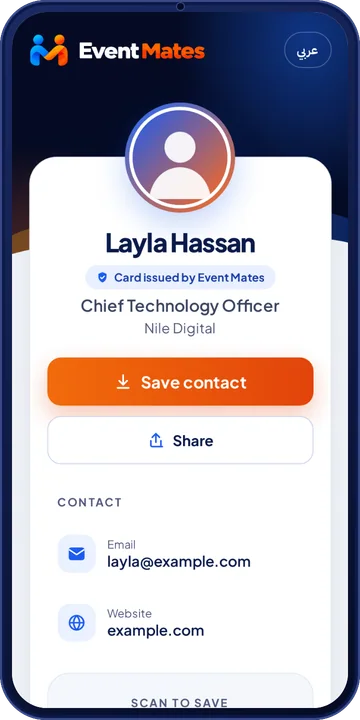
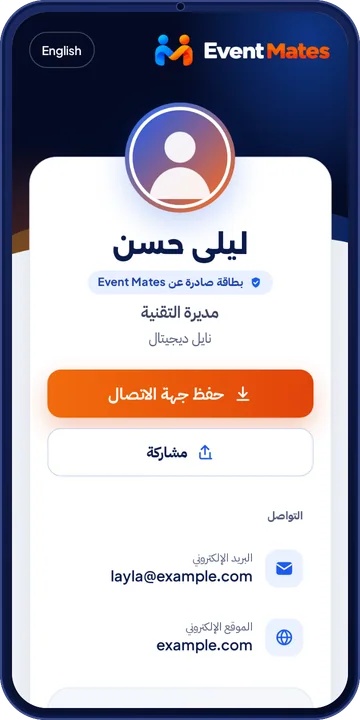
Illustration of the Event Mates app with sample data.