Weeks before
Arrive with a plan
Find your event, let AI read the agenda and build a schedule around the sessions that matter to you.
- 01
Event directory
Browse upcoming conferences and exhibitions, or create a private event for your own group or team.
- 02
Agenda upload
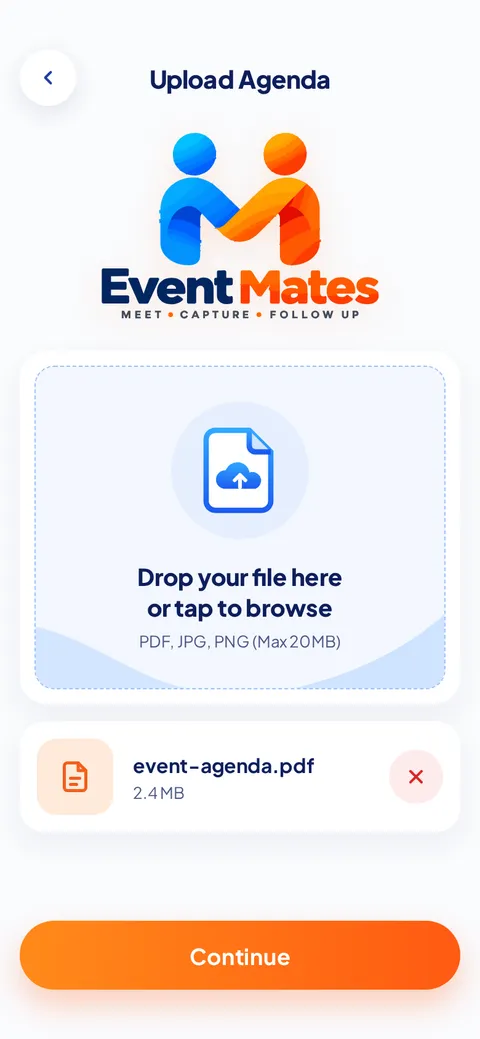
Add the agenda as a PDF or image. No retyping session lists by hand.
- 03
AI session extraction
Event Mates pulls out each session with its date, time and location, and asks you to review it before saving.
- 04
Your personal schedule
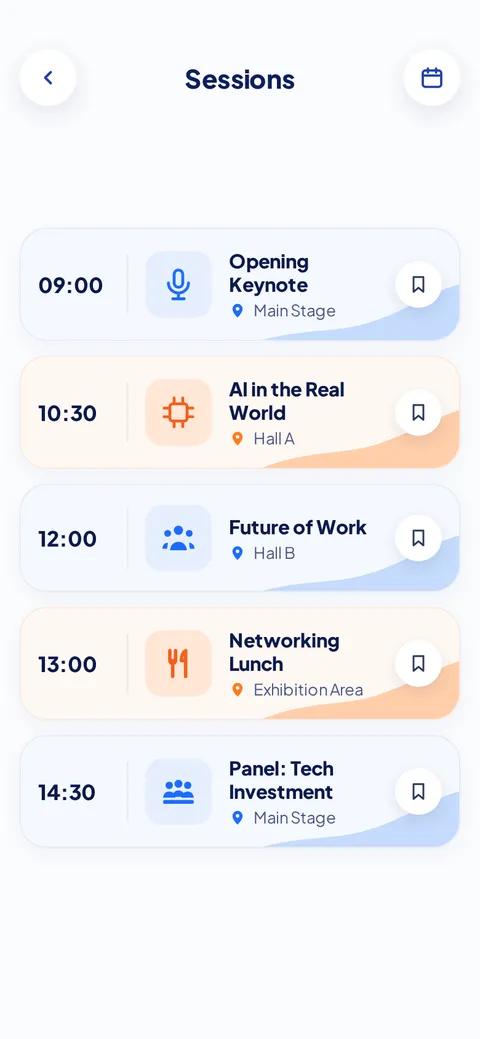
See sessions day by day or on a calendar, bookmark the talks you want and add them to your schedule.
- 05
Personal items
Add your own meetings and reminders next to the official agenda, and save them to your phone’s calendar.
On the day
Meet, share and capture
Share who you are in one scan and capture everyone you meet without losing the thread of the conversation.
- 01
Digital business card
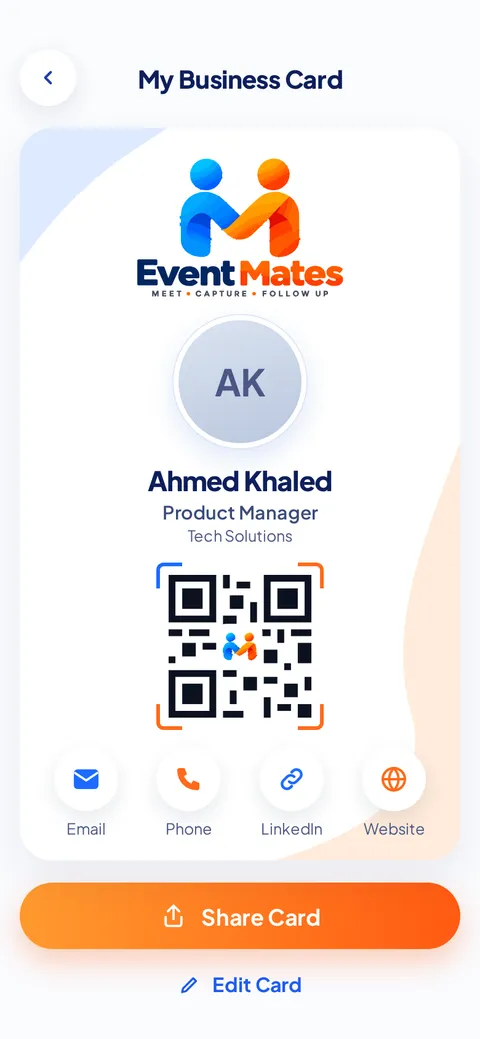
Your name, role, company, email, phone, LinkedIn and website in one card, shared by QR code.
- 02
Business card and badge scanning
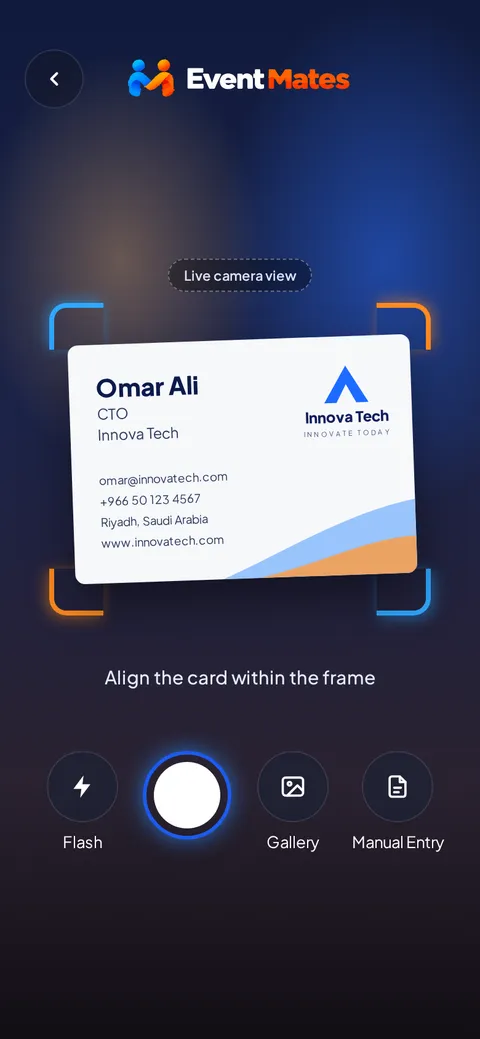
Scan a printed card or event badge and AI fills in the contact details for you.
- 03
Review before you save
Check and edit every extracted field, then link the contact to the event you met them at.
- 04
Notes and voice memos
Type a quick note or record a voice memo while the conversation is still fresh.
- 05
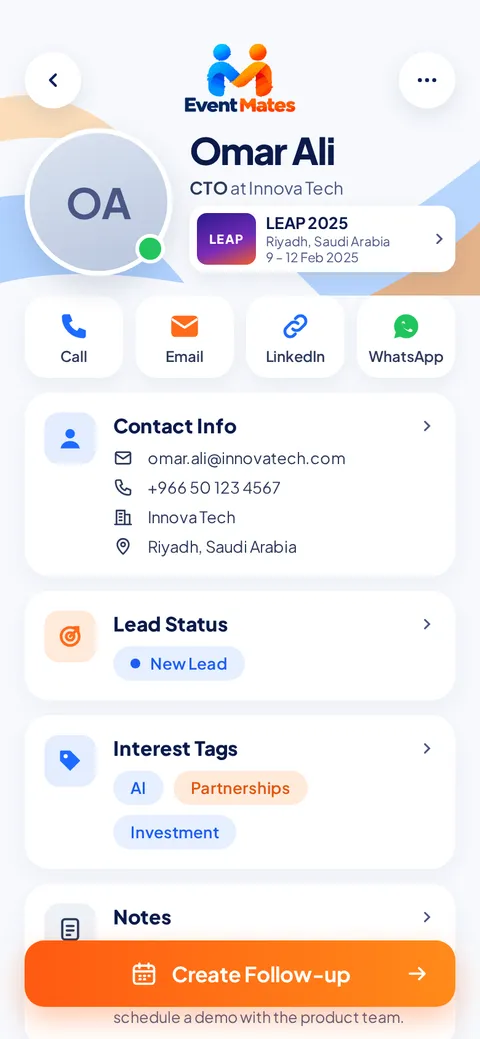
Contacts you can act on
Organise contacts with statuses such as New, Qualified, Follow-up and Contacted, plus interest tags.
The week after
Turn conversations into next steps
Your notes become summaries, your summaries become tasks, and nothing you promised slips through the cracks.
- 01
Voice note transcription
Voice memos are turned into text you can read, search and edit.
- 02
AI summaries
A short recap of each conversation and what was agreed.
- 03
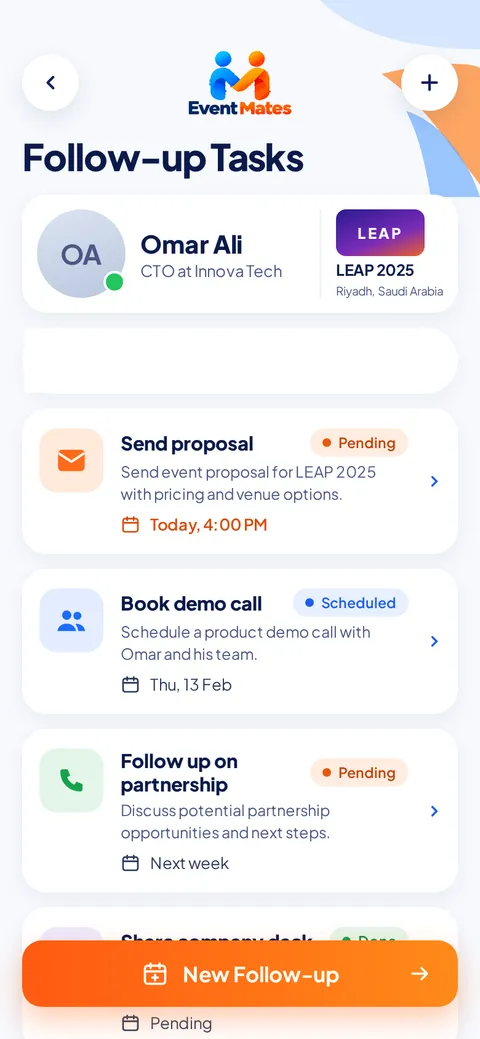
Follow-up tasks
Create tasks with due dates and track them as Pending, Scheduled or Done.
- 04
One tap to reach out
Call, email, open LinkedIn or message on WhatsApp straight from a contact’s profile.
- 05
Your pipeline at a glance
See how many contacts you captured, which are new and which need a follow-up.
In the app today
Capture, follow up and plan, in one place
The tools below are in the Event Mates app, available on Google Play and the App Store.
BeforeImport the agenda, your way
Bring in a PDF, a photo, pasted text or an agenda web page. Event Mates lists the sessions it found so you can review them before anything is saved.
- Imported sessions stay with the event, not your calendar
- If a day cannot be read, you are told clearly and can paste or upload it
- Nothing is saved until you confirm
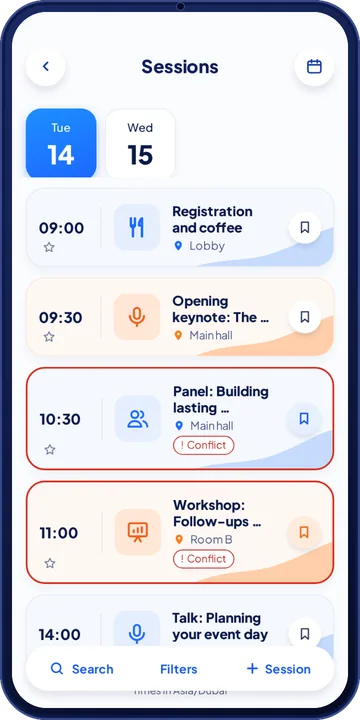 Illustration of the Event Mates app with sample data.
BeforePlan your event day
Pick the sessions you want to attend. Clashes are flagged, and your plan stays separate from the full agenda.
- See overlapping sessions at a glance
- Your personal plan holds only the sessions you choose
- Reminders arrive on your phone
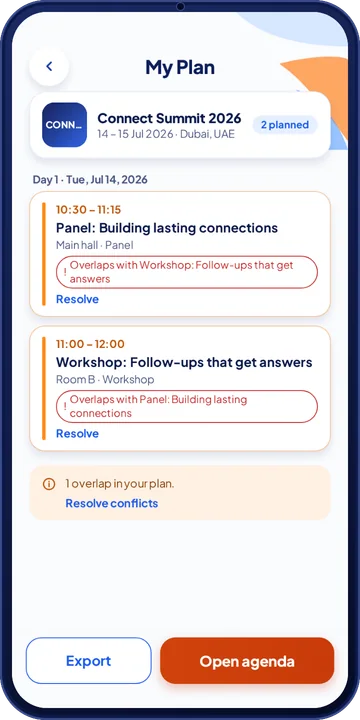 Illustration of the Event Mates app with sample data.
DuringCapture the people you meet
Photograph a business card or scan a contact QR code, in Arabic or English. You get an editable preview before the contact is saved.
- Reads vCard, MECARD and Event Mates cards
- Never opens links or runs anything from a code
- Edit any detail before you save
DuringShare a digital business card
Share your card with a QR code or a link. The person you meet does not need the app: they see your card, save your contact and can create their own.
- A profile photo you control
- A badge that says the card was issued by Event Mates
- Existing QR codes keep working
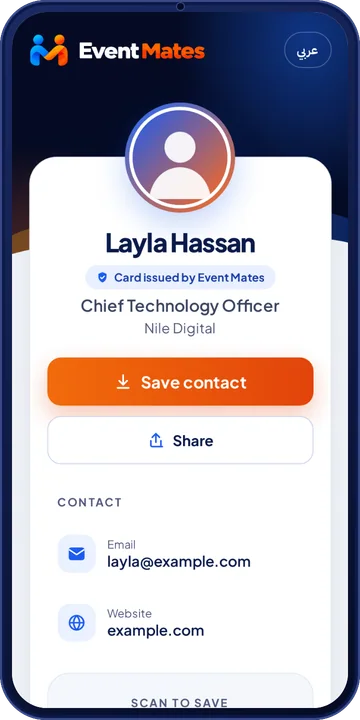 Illustration of the Event Mates app with sample data.
AfterVoice notes that become follow-ups
Record what you just discussed. You get a transcript, a short summary and a suggested follow-up that you can edit and confirm.
- On-device or online processing, your choice
- Nothing is created or sent until you confirm
- Reminders stay on your phone
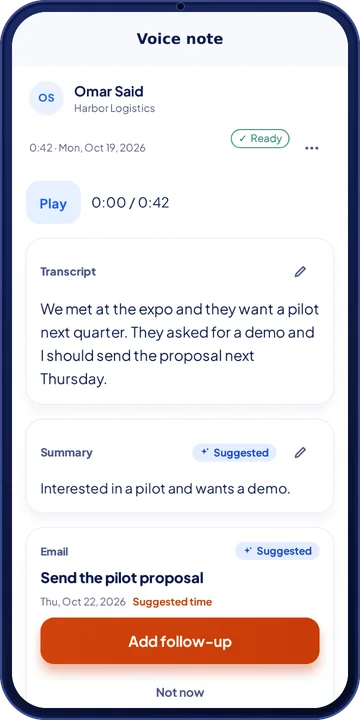 Illustration of the Event Mates app with sample data.
In the app todayYour account on the web
Sign in with the same account to manage your subscription, view invoices, browse your contacts and export them as a CSV file.
- Same account as the app
- Invoices you can download
- Export your contacts to CSV
Also in the app
English and Arabic
The whole app works in English and in Arabic, laid out right to left where it should be.
Exchange cards
After you view someone's card, you can share yours back, but only after you confirm exactly what is shared.
Privacy controls
Choose what your card shows, use on-device options where available, and delete your account when you want.

Make your next event count.
Your first 30 days are free. See pricing for what comes after.